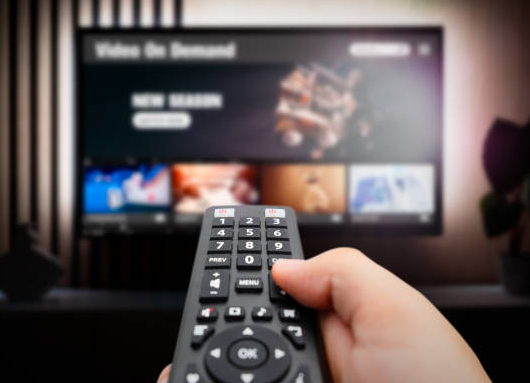
For many households, streaming TV has replaced traditional cable and satellite. Instead of channel packages, people are watching shows and live TV using a smart TV or a streaming device.
As streaming has grown, so have the scams. Some sellers advertise “free TV forever,” “all the channels,” or “no monthly bill” through unauthorized streaming devices. The FBI has warned that certain streaming devices can come with malware (harmful software) already installed, or they can become infected during setup if they push you toward unofficial app downloads. (You can click here to read the FBI warning.) Once a device like that is connected to your home internet, it can put your home Wi-Fi network at risk.
What makes this tricky is that the problem isn’t always obvious. You might not see pop-ups or error messages. In some cases, a compromised device can quietly become part of a botnet (a group of infected devices controlled remotely). That can allow criminals to use your internet connection in the background without you realizing it.
Red flags to watch for with streaming devices
-
A brand you don’t recognize (especially “generic” boxes).
When possible, stick with well-known brands purchased from reputable stores (for example: Roku, Amazon Fire TV/Fire Stick, Apple TV, DirecTV, or devices provided by a TV service). -
An unfamiliar app marketplace or “alternative” app store.
Only download apps from official sources (like the Apple App Store, Google Play, or the device’s official channel store). -
Anything asking you to turn off Google Play Protect — or a device that isn’t Play Protect certified.
Those warnings are there for a reason. If a device wants you to bypass safety checks, it’s not a good sign. -
Marketing that promises “unlocked” devices or free paid channels or apps.
If it sounds too good to be true, it usually is — and it often comes with security risks. -
Strange device names showing up on your Wi-Fi network.
One common name of one of these malicious streaming boxes we’ve seen on customer networks is “CHINA DRAGON TECHNOLOGY LIMITED device.” To check what’s connected, download Valley’s Command IQ app to see every device that’s connected to your network, and remove anything that looks suspicious. -
Internet suddenly feels slow after hooking up a new streaming box.
We often get “slow internet” calls right after one of these devices is installed. In many cases, it’s not a problem on our end, it’s the unsafe device using a large amount of bandwidth or running in the background of your network.
Fiber internet makes it easy to stream, work, and stay connected — but a good streaming device should be fast and secure. If you want help choosing a safer streaming device, or if you’d like us to help you check what’s connected to your network, we’re happy to help.
Call us at 605-437-2615 or reach out through our Contact Us page.